
UTM Link Builder for confident campaign tracking
Build UTM links your whole team can trust
Move from idea to launch without second-guessing every parameter. UTM Manager keeps campaign URLs consistent, reusable and ready for reporting.
- Built for WordPress
- Reusable presets
- QR codes included
5 UTM fields
One calm, repeatable workflow
Shared rules
A shared language across teams
Fast reuse
Start from what already works
Clear reporting
Reports you can trust
Why use a UTM link builder?
Spend less time checking links—and more time improving campaigns
Spreadsheets can store links, but they still leave people wondering which values are right. UTM Manager makes the agreed structure the easiest choice, so launches move faster and reports feel dependable. Your UTM Link Builder becomes a shared workspace where marketers can reuse proven campaign names, reduce manual mistakes and hand work between colleagues without losing context. That means cleaner analytics, calmer approvals and more confidence when it is time to compare channels, explain results or plan the next campaign. New team members can follow the same structure from day one, while experienced marketers spend less time cleaning data after launch.
01
Consistency without policing
Make approved values the natural choice for everyone who creates campaign links.
02
Fewer launch-day surprises
Generate complete URLs without worrying about missing characters or copied parameters.
03
Knowledge that stays with the team
Keep successful campaigns, destinations and presets easy to find when people or priorities change.
A simple workflow
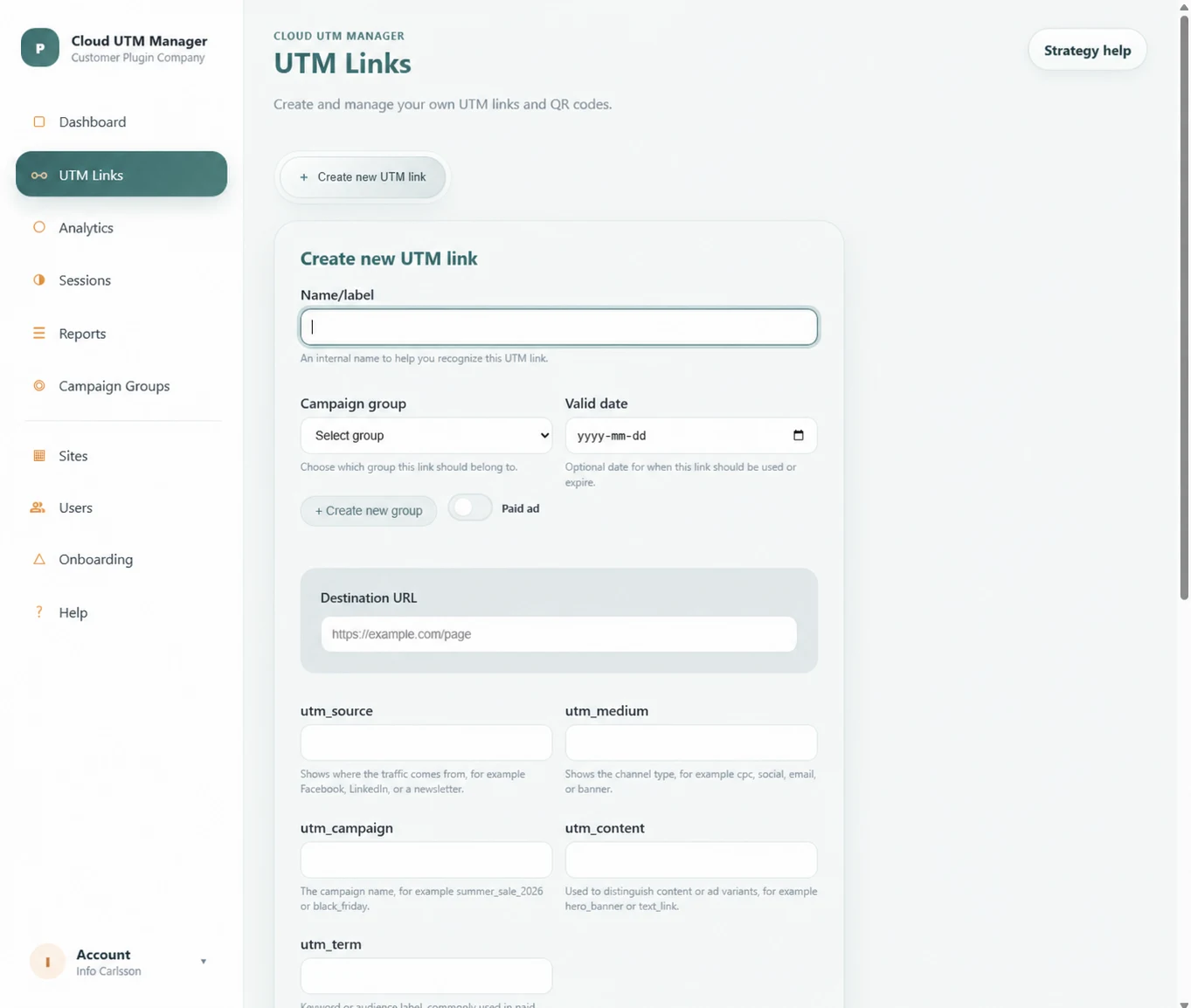
A calm path from destination to ready-to-share link
1
Add the destination
Paste the page you want visitors to reach.
2
Choose campaign values
Select or enter source, medium and campaign names using your agreed convention.
3
Generate and review
Check the final URL before it reaches ads, email, social posts or printed material.
4
Share and measure
Copy the URL or QR code, then monitor performance in your analytics workflow.
https://examplesite.com/offer?
utm_source=linkedin&
utm_medium=paid_social&
utm_campaign=spring_launch&
utm_content=video_a
- Lowercase values are easier to group.
- Clear separators make names readable.
- Presets prevent near-duplicate campaign labels.
- Saved links create an audit trail for the team.
Built for real campaign work
Everything stays organized after the link is built
Link library
Keep campaign links searchable and ready to reuse.
Campaign groups
Organize related links around launches, channels or clients.
QR codes
Turn tracked destinations into scannable offline touchpoints.
Analytics view
Connect the link-building workflow to useful campaign insight.
Frequently asked questions
UTM link builder FAQ
UTM parameters are intended for campaign measurement, not keyword ranking. Use them on promotional links and keep canonical URLs configured on destination pages.
Yes. Shared presets and conventions are one of the strongest reasons to move from manual URL editing to a managed workflow.
Yes. UTM Manager can turn a tracked destination into a QR code for print, events, packaging and other offline channels.
Keep learning
Build a complete campaign tracking system
Start with the strategy
Build the system behind every campaign link
Ready to launch campaign links with confidence?
Give your team one place for UTM creation, shared conventions and campaign links—so every launch starts from trusted structure.